How to play
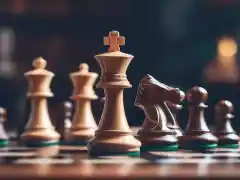
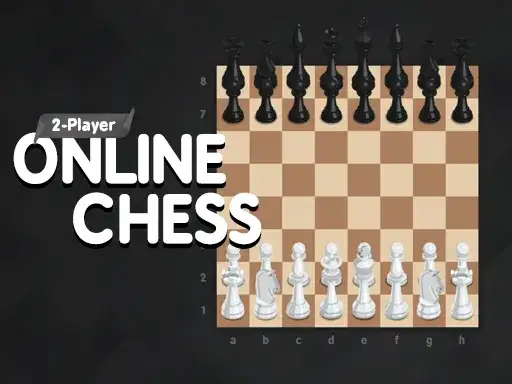
2 Player Online Chess is a chess game with two ways to start. The developer states that you can play solo against the computer or team up with a friend for a match in 2 Player mode. The game uses a simple, easy-to-use design, so the focus stays on the board and the moves. You do not need to learn a new set of rules. The pieces move as they do in standard chess, and the goal is to checkmate your opponent’s king. If you have never played chess before, the basic idea is to move your pieces to control the board and put the other king in a position where it cannot escape capture. The game does not add extra layers on top of that. There are no timers, no special boards, and no unusual piece powers mentioned by the developer. That makes it a straightforward choice for a quick match or for learning the game at a relaxed pace. You can start a game, make your moves, and stop whenever you like. The game loads only after you press Play, so nothing runs in the background before you begin.
Controls
You control the game with your mouse or by swiping with your finger. The developer states this directly, use your mouse or swipe with your finger to control the action. On a desktop or laptop, you click a piece to select it and then click the square where you want it to go. On a phone or tablet, you tap the piece and then tap the destination square, or you can drag your finger from the piece to the target square. The game is designed to work on both desktop and mobile in the browser. There is no need for a keyboard, a controller, or any extra setup. If you are playing with a friend on the same device, you simply take turns using the same screen. The controls stay the same for both modes. The simple input method means you can focus on the board rather than on learning a complex control scheme. A short practice game can help you get used to how selection and movement feel, especially on a touchscreen where your finger may cover part of the board.
Levels and power-ups
The developer does not describe any levels, stages, or power-ups for this game. What the developer does state is that there are two ways to play, solo against the computer or a match with a friend in 2 Player mode. There is no mention of a campaign, unlockable content, or special abilities that change how the pieces move. This is a chess game, so the pieces follow their standard movement rules. If you are looking for a game with power-ups or level progression, this is not that kind of experience. The focus is on the classic game of chess itself. The computer opponent gives you a way to practice on your own, and the 2 Player mode lets you share the device with someone else. That is the full scope described by the developer. Any additional options you see in the game interface come from the game itself, and the developer has not listed them here. You can expect a clean, direct chess experience without extra layers.
Tips and strategy
Chess rewards planning ahead. Before you move a piece, think about what your opponent can do in response. A common mistake is to move a piece without checking whether it leaves another piece undefended. Try to keep your pieces protected by each other, and avoid moving the same piece repeatedly in the opening unless there is a clear reason. Control the center of the board early. Pieces placed in the middle have more options and can influence more squares than pieces stuck on the edge. Develop your knights and bishops before you bring out your queen, because the queen is valuable and can be chased away by less important pieces. Castle early to keep your king safe and to connect your rooks. In the endgame, when few pieces remain, the king becomes an active piece and should move toward the center to support your pawns. These are general principles for chess, not features specific to this game, but they apply here because the game follows standard chess rules. A useful habit is to pause after each of your opponent’s moves and ask what changed. That single question can prevent many blunders. Keep your plans simple and adjust them as the board changes.
Here is a short checklist you can run through before each move:
- Is the piece I am about to move defended?
- Does this move leave my king or queen exposed?
- Can my opponent capture something for free after this?
- Does the move improve my position or just pass the turn?
About this kind of game
Chess is a two-player strategy game that has been played for centuries. It is a game of complete information, meaning both players can see everything on the board. There is no hidden information and no luck. That makes it a pure test of planning and calculation. In a digital version like this one, the same principles apply. You can play a full game in one sitting, or you can take your time and think through each move. The 2 Player mode on a single device is a good way to share a game with someone nearby without needing two computers. The solo mode against the computer gives you a patient opponent that never gets tired. Because chess has no random elements, improvement comes from practice and from reviewing your mistakes. Many players find that playing slowly and thinking about the position is more valuable than playing many fast games. The game’s simple design supports that approach. There are no distractions, no flashy effects, and no time pressure unless you create it yourself. That makes it a calm choice for a break or for a focused session.
Where and how to play
2 Player Online Chess runs free in your browser on desktop and mobile. You do not need to download anything or create an account. The game loads only after you press Play, so you can decide when to start. If any ads appear, they come from the provider’s player, not from us. The game is provided by GameMonetize, and the developer describes it as a simple, easy-to-use chess game for solo or two-player matches. You can open it on a laptop, a desktop computer, a phone, or a tablet. The controls adapt to your device, mouse on desktop, swipe or tap on mobile. There is nothing to install and no sign-up form to fill out. That makes it easy to start a quick game during a break or to hand the device to a friend for a match. The game is listed in the cards category on our site, but the experience itself is chess. You can return to it whenever you want without losing progress, because each game starts fresh.
FAQ
Can I play against the computer? Yes. The developer states that you can play solo against the computer.
Can I play with a friend on the same device? Yes. The developer states there is a 2 Player mode for a match with a friend.
Do I need to download anything? No. The game runs in your browser. No download or account is required.
Does it work on mobile? Yes. The game runs on desktop and mobile, and you can use swipe or tap controls on a touchscreen.
Are there levels or power-ups? The developer does not describe any levels or power-ups. This is a standard chess game.
When does the game start? The game loads only after you press Play.
Are there ads? If any ads appear, they come from the provider’s player, not from us.