How to play
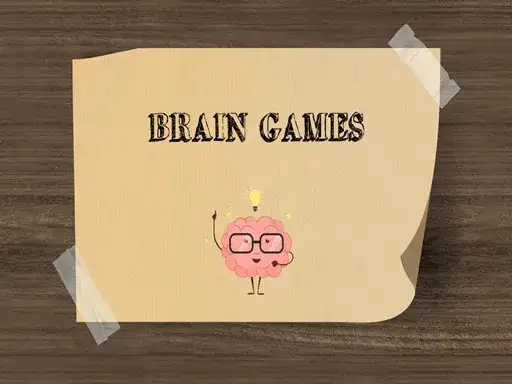
The developer describes Brain Games as a series of challenges, riddles and puzzles, and states that it tests logical reasoning, accuracy, memory and creativity. That description is the clearest guide to what you will meet once the game loads. Each task is a small problem with its own rule, and your job is to work out that rule before the task ends.
Read the screen before you touch anything. Most puzzle tasks hide their instruction somewhere in the layout, in a short line of text, or in the arrangement of the objects you can see. Look at what is clickable, what stays fixed, and what changes when you interact with it. A single click or tap is usually enough to test an idea, and that test tells you more than staring at the screen for a long time.
Start with the simplest reading of the problem. If the obvious answer works, take it. If it fails, the failure is information. It removes one interpretation and pushes you toward another. That loop of guess, check and adjust is the whole method behind this kind of game.
Some challenges lean on logic, some on memory, and some on accuracy or creativity, as the developer states. You do not need to prepare for any of them. You need to slow down and pay attention.
Puzzle games of this kind reward patience more than speed. A wrong click costs you the reasoning you had already done, and you have to build it again. Take the seconds you need before you commit to an answer.
Controls
The stated controls are simple, click or touch does all game actions. There is no keyboard scheme in the developer’s description, no dragging, and no combination of buttons to learn. On a desktop computer you use the mouse, on a phone or tablet you use your finger, and the same single action covers everything the game asks you to do.
That simplicity has one practical consequence. Because every action is a click or a tap, a stray tap can count as an answer. Rest your hand away from the screen between tasks. Aim before you press. On a touchscreen, tap with the flat pad of your finger, and keep your other hand clear of the display.
If a task seems to need a drag, try a click first. The developer states that clicking or touching covers all actions.
Levels and power-ups
The developer does not describe a level map, a progression system, unlockable stages, or power-ups. What the description states is a series of challenges, riddles and puzzles, which suggests a run of separate tasks that do not join into one long continuous world. Beyond that, the description is silent. Take the game as you find it.
In this kind of game, a series usually means each challenge stands alone. One task might ask you to spot a mismatch, the next might ask you to remember a sequence, and the next might ask you to read a sentence in a way you did not expect. Nothing carries over except your own attention.
In this kind of collection, a hint button, a timer or a score usually belongs to one task and does not carry into the next. Treat each element as local to the screen you are on. Do not assume that a rule you learned in one challenge applies to the one after it.
Tips and strategy
Read every word on the screen. Puzzle text is often written to be read twice, and a single word can change the whole answer. If a task asks you to count something, count it again, and if it asks you to remember something, say it silently to yourself before the screen changes.
Work backwards when you are stuck. Ask what the finished state would look like, then ask which single action could produce it. This narrows the options fast. Elimination is just as useful, cross off the answers that cannot be right, and the remaining one is usually correct.
For memory tasks, group items together. Three colours and two shapes are easier to keep as one picture than as five separate facts. For accuracy tasks, slow your hand down and aim at the centre of the target. Speed is rarely the thing being tested, and a careful click beats a fast one.
For creative tasks, try the boring answer first. Trick questions usually reward the plain reading. The clever reading is often the trap. If the plain reading fails, then look for wordplay, hidden objects, or a detail in the background.
Take a short break when a task stops making sense. A fresh look often solves in seconds what ten minutes of staring could not. That is normal. It is how these games are built.
About this kind of game
Brain puzzle games are short by design. They give you a problem, a small set of possible actions, and a quick answer, then they move on. That format suits a browser because it fits into a spare moment. You do not need to remember a story, manage an inventory, or keep a long-term plan in your head.
The appeal is variety. Logic tasks reward careful reading. Memory tasks reward attention. Accuracy tasks reward a steady hand. Creativity tasks reward a willingness to question the obvious. A collection that mixes these keeps you from settling into one habit, and that is why the format has lasted so long on the web.
These games also teach a useful habit. When an answer fails, you learn something about the rule. The habit of testing an idea is the real skill on offer. Guessing the same way twice teaches you nothing. It carries over to other puzzles and to plenty of ordinary problems.
The frustration is part of it too. A trick question can feel unfair when the answer appears, and then it feels obvious. That swing is the genre working as intended. If a task annoys you, the next one is usually different enough to reset your mood.
Where and how to play
Brain Games runs free in your browser on desktop and mobile. There is nothing to download and no account to create. You open the page, press Play, and the game loads. Until you press Play, nothing runs.
Ads, when they appear, come from the provider’s player, which sits around the game frame. That is worth knowing if you see a banner or a short video near the game. The game itself is served through the provider’s player, and the controls inside it are the ones the developer describes, click or touch for every action.
Play on whatever screen is in front of you. A phone works, and so does a laptop. The click and touch controls mean the same game is available on all of them.
Keep the page open if you want to come back to a task later, or reload it if you would rather start fresh. The game is a browser page, so the usual browser habits apply. Close the tab when you are done and nothing is left behind on your device.
FAQ
Is Brain Games free to play? Yes. It runs free in the browser, with no download and no account.
Do I need to install anything? No. The game loads in the page after you press Play.
Does it work on a phone? Yes. It runs on mobile as well as desktop, and touch replaces the mouse for every action, so the same game is available on both kinds of screen.
What are the controls? The developer states that clicking or touching performs all game actions.
Can I play with a keyboard? The developer states that click or touch covers all game actions, so a keyboard is not part of the controls.
What skills does it test? The developer states logical reasoning, accuracy, memory and creativity.
Are there ads? Any ads come from the provider’s player, which sits around the game frame.
Do I need to sign up? No account is required to play.