How to play
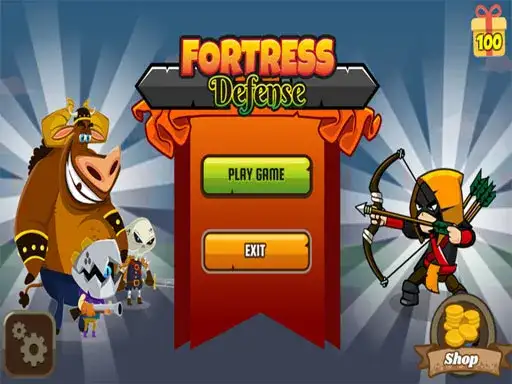
A Defense Game is a tower defense strategy game. The developer states that you defend a fortress against incoming enemies and that the game uses drag-and-drop upgrade mechanics. The same description calls the bosses tough, so expect the later waves to demand more from your setup than the early ones. Your job is to hold the line, place your defenses, improve them as the pressure grows, and keep the fortress standing. Pay attention to how the action develops, since each wave gives you a chance to see which parts of your setup are working and which need attention.
The developer describes the controls simply, click to play. That tells you the game is mouse-driven on desktop and tap-driven on mobile, with no complex key bindings to learn before you start. You can begin straight away and work out the details as the first enemies arrive.
Tower defense games generally reward patience over speed. Read what is coming before you spend, and place each piece with a reason. A calm opening usually beats a rushed one. Take a moment to understand the layout and how your defenses respond, then use that information to make deliberate choices as the pressure rises.
Controls
The developer lists click to play as the control scheme. In practice, that means you point at what you want and click or tap it, select a defense, choose where it goes, and pick up or drop upgrades where the game allows it. The drag-and-drop upgrade mechanic mentioned by the developer suggests you will move items or improvements onto your defenses instead of only buying them from a menu.
If a click does not seem to register, click once and wait a moment before trying again. On a phone or tablet, use a deliberate tap and drag rather than a quick flick, and keep your finger steady when you drop an upgrade.
There are no keyboard controls to memorize. Everything runs through the pointer. That makes the game easy to pick up on either a desktop or a mobile browser. If you are using a touch screen, take care to release an item where you intend to place it, especially when the action gets busy.
Levels and power-ups
The developer states that A Defense Game includes bosses and drag-and-drop upgrades. The game’s description does not set out a level list, a wave count, or a catalogue of power-ups. Treat the upgrades you encounter as the tools the game gives you and learn what each one does by using it.
Bosses in tower defense games usually arrive after a stretch of ordinary waves. They tend to have more health, move differently, or force you to concentrate fire in one place. The developer calls these bosses tough, which is a hint to keep something in reserve rather than spending everything on the early waves.
Upgrades are where a defense game is usually won or lost. If a lane starts to fail, that is where the next upgrade should go. After moving an improvement, watch the affected area to see whether the change helps protect the fortress.
Tips and strategy
Plan a few moves ahead. In any tower defense game, the placement you choose now affects what you can afford later, so think about the next wave while the current one is still running. Keep some space free in your layout so you can add or move a defense when a new threat appears. A crowded board leaves you no room to react.
Spread your defenses so they cover more than one path where the map allows it. Overlapping coverage is usually stronger than a single powerful piece in one spot. Watch which enemies survive longest and adjust your upgrades toward the defenses that are actually engaging them.
Do not spend everything at once. Holding a little back gives you options when a boss appears or when a lane you thought was safe starts to leak. Upgrades that can be dragged from place to place are especially useful for this, because you can shift strength to wherever it is needed instead of rebuilding from scratch. Make changes with the next threat in mind and leave yourself enough flexibility to respond if the action changes.
Learn from each loss. If the fortress falls, note which wave broke through and where. That single piece of information is usually enough to change your next attempt. You can focus on the trouble spot, try a different placement, and see whether the revised layout holds for longer.
About this kind of game
Tower defense is a strategy genre built on preparation. You place defenses along a route, enemies walk that route, and your job is to stop them before they reach what you are protecting. The appeal is in the planning. A good layout solves a wave before it starts, and a bad one collapses under pressure no matter how strong the individual pieces are.
These games usually mix two kinds of decision. The first is placement, where a defense goes and what it can see from there. The second is investment, which defense gets upgraded and when. Getting both right is the core skill, and it is a skill you build by playing rather than by reading.
A Defense Game adds drag-and-drop upgrades to that formula, according to the developer. Bosses raise the stakes by testing whether your setup can handle a sudden spike in difficulty. Watching how your defenses perform gives you a practical way to decide where an upgrade could make the most difference.
Where and how to play
A Defense Game runs free in your browser on desktop and mobile. There is no download and no account to create. Open the page, press Play, and the game loads. Until you press Play, nothing runs.
If any ads appear, they come from the game’s own player. That is worth knowing if you see an ad before or during play, since it is part of how the game is delivered.
Because the game is browser-based, you can play it on a laptop at a desk or on a phone while you wait. The click-to-play control scheme suits both.
FAQ
What is A Defense Game? It is a tower defense strategy game in which you defend a fortress. The developer states that it features drag-and-drop upgrade mechanics and tough bosses.
How do I control it? Click to play. The game is pointer-driven, so you click or tap to select, place, and drag upgrades.
Is it free? Yes. It runs free in your browser on desktop and mobile, with no download and no account.
Do I need to install anything? No. The game loads in the browser after you press Play.
Are there ads? If ads appear, they come from the game’s own player.
How many levels are there? The developer’s description does not specify a level count, so this page does not give one. Play to find out how far the game goes.
What makes the bosses hard? The developer calls them tough. In tower defense games, bosses usually have more health or behave differently from ordinary enemies, so keep some resources in reserve.
Can I move upgrades? The developer describes the upgrade mechanic as drag-and-drop, which suggests you can move improvements between defenses. Try it in the game to see how it works.