How to play
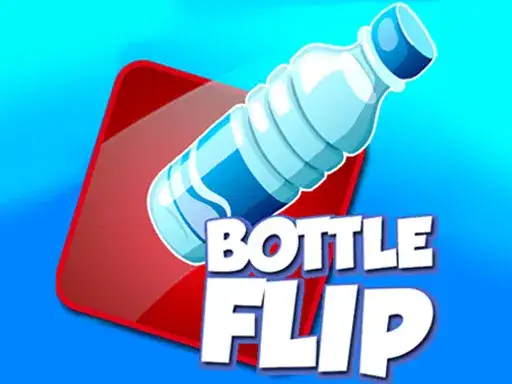
Bottle Flip Game hands you a single task. Send a plastic bottle up into the air and bring it back down standing on a surface above the floor. The developer describes it as an addictive arcade game that puts your skills to the test, where the goal is to flip a bottle and make it land on various objects without falling. A bottle that lands flat, rolls off a shelf or misses the surface completely ends the attempt.
The bottle does not fly on its own. You tap the screen to make it jump, and that same tap begins the flip. Timing decides everything, because the moment you touch the screen sets how much rotation happens before the bottle comes back down. Tap too early and the bottle is still turning when it meets the surface. Tap too late and it has spent its height and drops short. The window where a full turn lines up with a flat landing is narrow, and it stays narrow as you go.
The objects around you are the platforms. The developer names shelves, tables, chairs, sofas and even subwoofers among the surfaces your bottle can land on inside rooms full of obstacles. Each one has a size, an edge and a height, and all three change how forgiving a landing feels. A wide flat top absorbs a sloppy tap. A narrow rim does not.
Controls
Everything runs on one input. The developer states that clicking any button is done with the mouse, and the flip itself is triggered by tapping the screen. On a desktop the mouse does both jobs, the pointer for any button and a click on the play area when you want the bottle to leave its spot. On a phone or tablet the same action is a tap with a finger.
There is no aiming stick, no drag and no second button to press in the middle of a flip. That is worth knowing before your first try, because the only thing you decide is when the tap happens. How hard the bottle is thrown never enters the picture. Accuracy comes from the rhythm of your clicks.
Keep your hand relaxed and the pointer resting near the middle of the play area so you are not dragging the mouse across the screen before every tap. A still setup gives you a cleaner sense of when the moment arrives, and it also means fewer stray button clicks when a room gets cluttered.
Levels and power-ups
Progress arrives as rooms. The developer states that the bottle jumps, flips and bounces through a series of rooms filled with obstacles, and that the objects inside those rooms serve as your platforms. Moving forward means reaching the next object with a clean landing, then doing it again from a new height.
Taller starting points and smaller landing areas raise the difficulty without changing the basic action, and the developer notes that some objects are trickier than others. A sofa with a soft, wide top is a different problem from a shelf edge or the flat top of a subwoofer. The shape of the surface matters as much as the distance you have to cover.
Nothing extra sits between you and the bottle. The objects in each room are the toolkit, so the shelf or speaker you land on does the work. Improvement shows up as stringing more clean landings together and reading the next surface a little faster than last time.
Tips and strategy
Treat every flip as a landing problem first and a jump second. Before you tap, look at the surface you are aiming for and ask how wide it is, whether it tilts, and whether the bottle would roll off if it came down slightly off centre. That habit does more for your score than fast reflexes, because a wide target forgives a mistimed tap in a way that a rim never will.
Watch the bottle turn before you judge. Many players tap again too quickly after a miss and repeat the same error, when a short pause would have shown them the rotation was short and the next attempt needed to wait a fraction longer.
Small movements are easier to repeat. Keep your eye on the play area and let the cursor sit where it is, draw clicks from the wrist, and hold the same hand position between attempts so the timing has a stable starting point.
When a room offers several objects, take the larger, flatter ones early and save the awkward shapes for when your rhythm is settled. Repeating the same jump a few times teaches you more than switching targets after every failure, because a consistent starting position makes the landing window easier to learn.
About this kind of game
Timing games like this one borrow from a long tradition of one-button challenges, where the whole skill sits in a single decision made at speed. The format is old and durable because it is easy to understand and hard to do well, and because a miss always traces back to your own timing. Nothing hidden is working against you.
Physics does the rest of the work. A bottle rotating in the air has to arrive base down, and small differences in the moment of the tap turn into large differences in where the base ends up. That is why these games feel random at first and predictable later, once your eye learns to read the turn.
The other half of the genre is spatial. You choose where to land as much as when. Objects of different heights and widths make you plan a route through a room, and a poor target can leave you on a surface that is harder to escape than the one you skipped. Frustration is part of the design, with short attempts, instant restarts and a clear cause for each miss.
Where and how to play
Bottle Flip Game runs free in the browser on desktop and mobile. There is no download and no account to create, so you can open the page, press Play and start flipping bottles without installing anything on your device. The game loads only after you press Play, which keeps the page light until you are ready to begin.
If ads appear around the play area, they come from the game’s own player, and they belong to that player. Nothing about them changes how the game itself plays. Nothing needs installing.
On a desktop, a mouse is all you need, and a laptop trackpad works the same way. On a phone or tablet, the tap you use for the bottle is the same gesture as a click, so the controls carry over without a separate layout to learn.
FAQ
Do I need to install anything? No. The game runs in the browser on desktop and mobile, needs no account, and loads after you press Play.
What is the goal? Flip the bottle and land it on objects without letting it fall, as the developer describes the challenge.
How do I make the bottle flip? Tap the screen at the moment you want the bottle to jump and turn. Buttons on screen are clicked with the mouse.
Why does the bottle keep landing on its side? Your tap is arriving at the wrong point in the rotation. Wait longer or tap sooner, and watch a full turn before deciding which.
Does it get harder? The developer describes rooms with obstacles and notes that some objects are trickier than others, so the surfaces themselves set the difficulty.
Is it free? Yes. It plays free in the browser with no download and no sign-up.
Can I play on my phone? Yes, a tap does the same work as a mouse click.
Are there power-ups to find? The objects in each room are what you work with, so the shelf, table or speaker you land on is the tool.