How to play
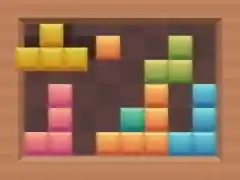
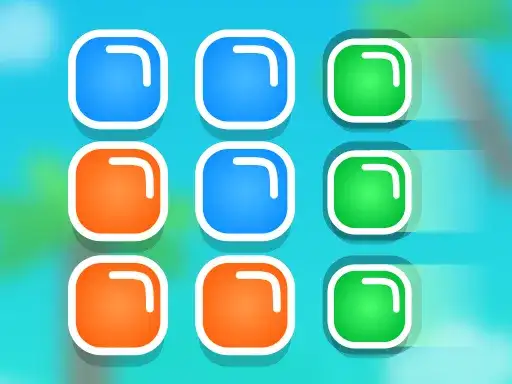
Block Blast is a puzzle game about fitting blocks onto a board of empty tiles. You pick up a block, drag it over the grid, and drop it into place. The developer states the goal plainly, fill the empty tiles using the different blocks you are given. Every move either helps the board stay open or closes it down.
A block placed neatly leaves room for the next shapes. A block dropped in a hurry can split the open space into thin strips that later pieces cannot use. That tension between placing now and keeping room for later is the heart of the game. The developer states the game has 50 levels, so there is a long run of boards to work through at whatever pace suits you, and each one adds a little more territory to cover.
The game asks you to read the shape of a board before you read the shape of a block. That order matters. If you start from the piece in your hand, you tend to force it into the first gap that looks close enough. If you start from the board, you notice which gaps will survive the next few placements and which ones are already dead space.
Controls
Block Blast uses mouse or touch drag. On a computer, press the mouse button on a block, move it across the board, and release it where you want it to settle. On a phone or tablet, touch the block and slide it with your finger, then lift to place it.
There is nothing else to learn. The entire interaction is drag and release, which keeps the game approachable on a desktop and on a mobile screen alike. Placement is the only decision you make, and the controls keep that decision directly in front of you without menus or timers in the way.
Drag slowly when you are learning a new board layout. Fast drags invite slips right at the release point, and a slip costs a placement. Once you know the grid, speed comes back on its own, and the game feels light again.
Levels and power-ups
The developer states that Block Blast has 50 levels. Each level presents a board of empty tiles, and your job is to fill those tiles with the blocks on offer. Working through the levels in order is the natural way to play, since each board is a small self-contained problem with its own layout to solve.
The developer does not describe any power-ups, so this page makes no claims about them. If they exist, you will meet them as you play. What the game does offer at every stage is the same core loop, a fresh board of gaps, a set of blocks to place, and a finish line made of filled tiles.
Treat each level as a rehearsal for the next. The habits you build on an early board, like keeping empty space connected and placing awkward pieces first, carry straight into the later ones. The developer frames the run as a question of whether you can complete all 50 levels, and that framing suggests steady progress rather than a single hard wall.
Tips and strategy
Plan the next placement before you make this one. When you can see two or three moves ahead, you stop treating each block as an isolated decision and start treating the board as a single shape that has to stay workable.
Keep open space together. A large connected area of empty tiles accepts many block shapes, while several small pockets accept only a few. If a placement would carve the board into narrow gaps, look for a different spot for that piece even when the current fit seems fine, because the short-term fit is often the long-term trap.
Place awkward shapes early. Long pieces and odd corners are the hardest to fit later, so use them while the board still has wide open areas. Save the small, flexible blocks for the moments when the remaining space gets tight.
Scan the edges before you drag. Corners and borders are where pieces tend to get stranded, because a block pushed against a wall can leave a gap beside it that no later shape can reach. A quick look along the outside of the board costs a second.
Slow down when the board gets crowded. A crowded board punishes rushed moves, and one careless drop can turn a solvable level into a dead end. Pausing to check the whole grid is cheap. It often saves the level.
Work from one side of the board to the other. Filling in a single direction leaves a clean frontier of open tiles, and that frontier is easier to judge than scattered holes in every corner.
About this kind of game
Block-fitting puzzles are a quiet branch of the puzzle genre, and their appeal comes from spatial reasoning rather than speed. There is no timer pressure in the basic idea, so the challenge sits in judging shapes and anticipating how the board will look after the next few moves. Players who enjoy them usually like the small mental workout of matching pieces to gaps.
The genre rewards patience more than reflexes. The strongest move protects the space you will need later, which means thinking about the whole grid rather than the spot under your cursor. That is general advice for block puzzles, not a rule specific to this game. The habit carries over well, survey the board, choose a spot, then drag.
Many players find these games good for short sessions because a single board is a complete thought. You can finish a layout, step away, and pick up the next one later without losing your place in a test of reflexes. The pace is yours, and the game is patient with you.
Where and how to play
Block Blast runs free in the browser on desktop and mobile. There is no download and no account to create, so you can open the page and start playing. The game loads only after you press Play, which keeps the page light until you are ready to begin.
Some ads may appear within the game player. They come from the provider that supplies the game itself, and they are part of how that player is delivered. This site does not add its own advertising around them. Closing the tab stops the game. Coming back later means pressing Play again, with nothing to install and nothing to sign up for.
Your progress lives in the browser session you are playing in. Keep that in mind if you switch devices or clear your browser data, and simply start from the top of the level list when you return.
FAQ
Is Block Blast free to play? Yes. It runs free in the browser on desktop and mobile, with no download and no account.
How many levels are there? The developer states there are 50 levels.
What are the controls? You drag blocks with the mouse or with a finger and release to place them.
Do I need to install anything? No. The game runs in the browser, and it loads after you press Play.
Can I play on my phone? Yes. The game supports touch drag, so it works on mobile as well as desktop.
What is the goal? Fill the empty tiles on the board using the different blocks, as the developer describes.
Are there power-ups? The developer does not describe any, so play the boards as they come and see what appears.