How to play
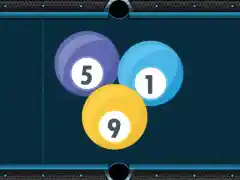
Billiards is a pool game built around one measure. That measure is the clock. The developer states that the game is based on speed and that your goal is to pocket all balls as soon as possible. Balls are already on the table, and the session finishes once every ball has gone down, because the finish line is simply an empty table.
Your record is the number of seconds you spent clearing the table, and the developer states that this time is considered your final record. That makes each attempt a small race against your own previous run. A clean shot that drops two balls is worth more than a slow, careful single, while a missed shot that leaves the cue ball badly placed can cost you several seconds while you line up again. The game rewards decisiveness as much as accuracy.
A useful approach is to look over the table before committing to a shot, then choose an aim that gives you a reasonable chance of pocketing a ball and leaving the cue ball in a useful position. Speed matters, while rushing every shot can lead to extra corrections or a difficult next angle. As you replay, pay attention to which shots make the table easier to clear and which ones leave you with fewer options. That gives you a practical way to improve without needing a complicated plan for every ball.
The developer describes the game as both fun and funny, and the loose, fast feel of a speed pool table fits that description. It is something you can pick up in seconds and keep replaying to shave time off your record. Each run gives you another chance to try a different order, improve your aim or reduce the pause between shots.
Controls
Use the mouse or touch to play. On a desktop, you aim with the pointer and shoot with a click. On a phone or tablet, you aim and shoot with your finger. The developer states that the game uses mouse or touch, so the same basic approach works on both desktop and mobile.
Aim, then shoot. That is the loop, and it repeats until the table is clear. Because aiming is direct, small movements of the pointer or finger translate into small changes in the angle of the shot, which can help when you need a precise cut. Take a moment to judge the direction before shooting, especially when a ball is close to a rail or another ball.
If a shot misses, use the next attempt to reassess the angle and make a fresh adjustment. Aiming is easier to manage when you make deliberate changes and watch where the cue ball travels after contact. On a touch screen, keep your finger movement controlled. With a mouse, make small pointer corrections across the table. These are general cue-sport habits that can help you make more consistent shots.
Levels and power-ups
The session described for Billiards is about clearing the table and recording the time. You can approach each run as a self-contained attempt, focusing on how quickly and cleanly you pocket the balls. To improve, compare your choices from one run to the next and notice where you spent time or lost a useful angle.
In cue-sport games generally, the table and the available shots shape the challenge. Players often make progress by improving aim, choosing a practical shot order and keeping the cue ball in a position that allows another shot. Those skills provide a useful focus here as you work toward a faster clear. A simple strategy works well. Concentrate on the immediate layout and make the best available shot.
Tips and strategy
Plan the last few balls before you take the first shot. In a speed pool game, leaving a ball where you cannot reach it cleanly can cost time, so a rough mental order of pocketing helps you avoid awkward situations. You do not need a full plan, just a sense of which balls look easy and which may need a better angle later. Keep the plan flexible as the table changes after each shot.
Keep the cue ball under control. A shot that pockets a ball but sends the cue ball into a cluster or against a rail can cost you more time than the pocket saved. Favor shots that leave the cue ball near the middle of the table with a clear line to another ball. This is a general cue-sport principle, and it can make the next decision simpler when you are trying to complete a quick run.
Take easy balls early when doing so leaves you a workable position. Balls sitting near a pocket may offer straightforward opportunities, and clearing them can open space for later shots. Still, consider the cue ball’s path before taking an easy pocket; an uncomplicated shot is less useful if it leaves a difficult angle for the next one. Make each choice with both the current ball and the next shot in mind.
Do not overthink a shot. The clock is the opponent here, and a reasonable shot taken now can be better than a perfect shot pursued after a long pause. If two options look similar, pick one and commit. You can replay and try another route, using the result to decide whether that alternative saves time.
Break clusters with purpose. When balls are grouped, a firm shot into the group can spread them into playable positions, while it can also send them somewhere unhelpful. Aim for a spread that gives you clear lines to pockets and leaves the cue ball in a usable area. If a cluster does not need to be opened yet, consider whether another available shot will improve your position first.
Learn from each run. Because your record is your total time, an attempt can show where you lost seconds. Note which ball gave you trouble and consider a different order next time. Small adjustments across several runs can add up to a better approach. The most useful lesson may be a change in aim, shot order or cue-ball control. A focused adjustment can help you evaluate the next attempt clearly.
About this kind of game
Speed pool belongs to the wider family of cue-sport games, and it borrows the familiar table, balls and cue while changing the objective. In standard pool, players may aim to win frames against an opponent. In a speed-focused format, the clock becomes the measure of success, and the goal is to finish in as little time as possible. That shift changes how you play, since caution still matters while hesitation costs time.
Games in this style tend to be short and repeatable. A single table can make a quick session, which makes it easy to replay and work on improving. The skill curve can feel gentle at first, because pocketing a ball is approachable, and more demanding later, because shaving seconds off a good time calls for better cue-ball control and shot selection.
Cue-sport games also reward attention to geometry. Angles, rebounds off the rails and the path of the cue ball all affect what shots are available. You do not need to know the physics formally, but noticing how the cue ball travels after contact is a useful habit in the genre. Over time, you can use those observations to choose more reliable shots and avoid leaving yourself with an awkward next move.
Where and how to play
Billiards runs free in your browser on desktop and mobile. There is no download and no account, so you can open the page and start a table without installing anything. The game loads only after you press Play, which means nothing runs until you choose to begin.
Any ads you see come from the game’s player. They are part of how the game is delivered and do not affect the table itself. The controls are the same on both desktop and mobile, so a phone works as well as a computer for a quick run.
FAQ
What is the goal in Billiards? Pocket all the balls as quickly as you can. The game finishes when the table is clear, and your total time is your record.
How do I control the game? Use the mouse on desktop or touch on mobile. You aim with the pointer or finger and shoot with a click or tap.
What should I focus on during a run? Work on accurate shots, a useful order for pocketing balls and cue-ball positioning. You can use each attempt to notice where you lost time and adjust your approach.
Can I play on my phone? Yes. The game runs in the browser on mobile as well as desktop, with no download or account needed.
Is my time saved? The developer states that your time is considered your final record. Treat each run as an attempt to improve on your best time.
Do I need to install anything? No. The game loads in the browser after you press Play.